
How to Read a Parquet File
Published July 26, 2026 · Updated August 22, 2026
Learn how to open and inspect a .parquet file with a browser tool, pandas, DuckDB, or a desktop viewer—and which local method fits your situation.
The file won’t open
You get a .parquet file from a warehouse export, a teammate, or a data vendor. You double-click it. Excel complains. Notepad shows garbage. Preview is blank.
That does not mean the file is corrupted. Parquet is a columnar binary format built for analytics—not for Office apps. To open a Parquet file you need a tool that understands the format.
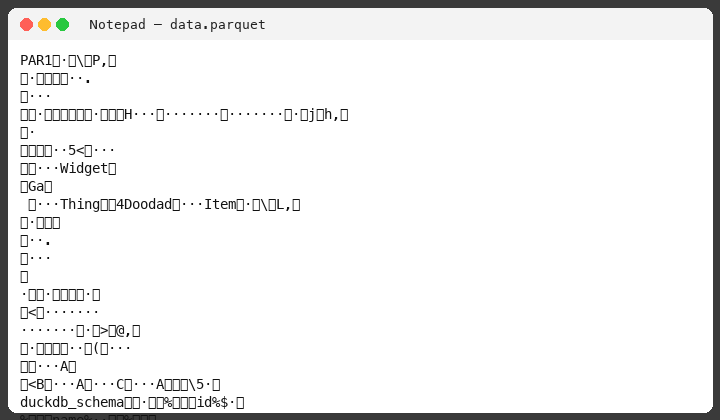
A Parquet file will not open in Excel or Notepad because it is binary, not a spreadsheet or text document. To read it, use a browser tool that processes the file on your device, pandas, DuckDB, or a desktop Parquet viewer. Prefer tools that keep the file local—especially for confidential data—rather than uploading it to a remote converter.
This guide covers those local methods, when each is the wrong choice, and how to pick one quickly.
What you are trying to do
Most people who search for how to open a Parquet file want one of these outcomes:
- Peek — see columns and a few rows
- Query — filter or aggregate without loading everything into a spreadsheet
- Hand off — convert a slice to CSV for someone who only uses Excel
Pick the method that matches that outcome and your constraints (Can you install software? Python available? Must the file stay on your machine?).
How to open a Parquet file in the browser (no install)
If you want to open a Parquet file without installing Python or a desktop app, use a browser tool that processes the file on your device. The query engine runs in the tab; the file stays local. Prefer that model over uploading the file to a remote “Parquet to CSV” site when data is confidential.
Parquet Fox is one such tool: drop a .parquet file in the browser, inspect columns, and run SQL. It embeds DuckDB WASM in your tab. It is not a warehouse, not Excel, and not a replacement for scheduled pipelines. Query execution does not upload your dataset; limits are bounded by device RAM and WASM memory.
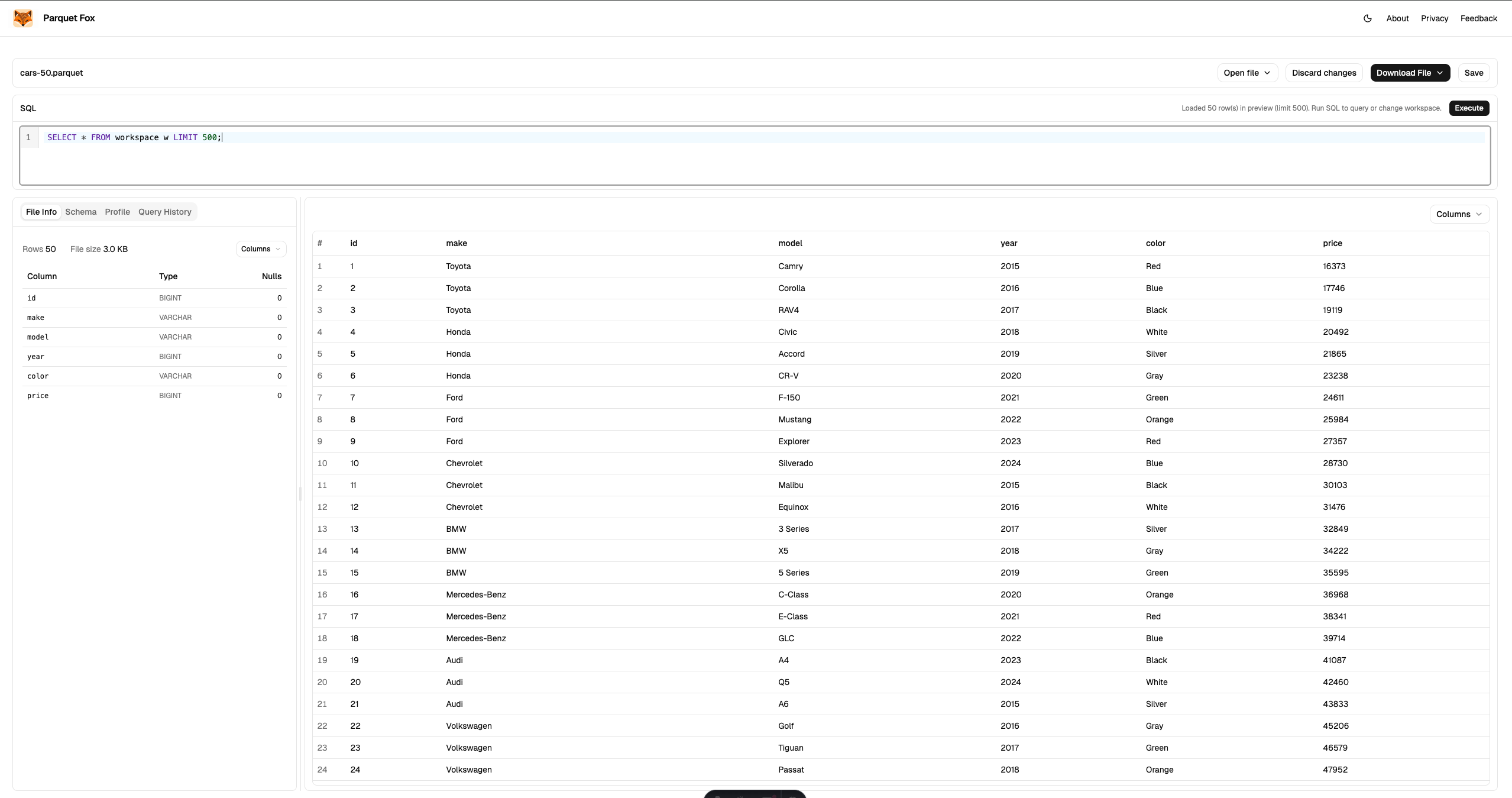
When this is the wrong choice: You need scheduled pipelines, multi-table warehouse joins, or long-running batch jobs. For those, use DuckDB CLI, pandas scripts, or a warehouse instead.
How to read a Parquet file with Python (pandas)
If you already work in Python, this is the default path.
pip install pandas pyarrowimport pandas as pd
df = pd.read_parquet("data.parquet")
print(df.head())
print(df.dtypes)To load only some columns (faster and lighter on memory):
df = pd.read_parquet("data.parquet", columns=["id", "event_time", "amount"])To hand off a slice as CSV:
df.head(1000).to_csv("preview.csv", index=False)read_parquet loads the file into a DataFrame. Use .head(), column selection, or filters before you dump the whole table to memory.
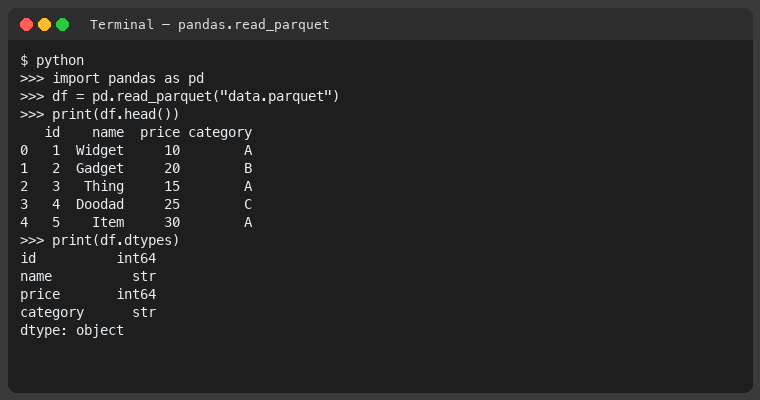
When this is the wrong choice: You do not have Python installed, you are on a locked-down laptop without permission to install packages, or you only need a one-off peek and do not want a notebook environment.
How to open a Parquet file with DuckDB
DuckDB reads Parquet natively and speaks SQL. Install the CLI, then query the file in place—no separate “import” step.
duckdbSELECT * FROM 'data.parquet' LIMIT 20;
SELECT COUNT(*) FROM 'data.parquet';
DESCRIBE SELECT * FROM 'data.parquet';You can also run a one-liner from the shell:
duckdb -c "SELECT * FROM 'data.parquet' LIMIT 10"Export a filtered slice to CSV without leaving DuckDB:
COPY (
  SELECT * FROM 'data.parquet' LIMIT 1000
) TO 'preview.csv' (HEADER, DELIMITER ',');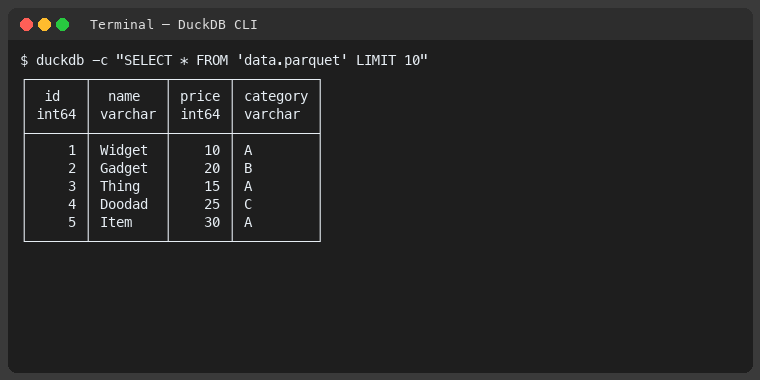
When this is the wrong choice: You cannot install a binary, you need a full GUI for non-technical stakeholders, or your workflow is already all-pandas and adding another tool would slow you down.
How to open a Parquet file in a desktop viewer
Desktop Parquet viewers open local files with a clickable grid. They work well when you want exploration without writing SQL or Python.
Typical flow: install the app → File → Open → select the .parquet file → browse columns and rows.
When this is the wrong choice: You cannot install desktop software, you need repeatable scripts in CI, or the file is larger than the viewer handles comfortably in memory. Desktop tools also vary in privacy posture—check whether they phone home or send samples off-device.
Which method should you use?
| If you… | Use |
|---|---|
| Cannot install tools and need the file to stay local | Browser-local viewer |
| Have sensitive or regulated data | Any local method — do not upload the file |
| Already have Python and need a DataFrame | pandas (read_parquet) |
| Want SQL on a local file with minimal setup | DuckDB CLI |
| Prefer a clickable grid and can install apps | Desktop Parquet viewer |
What to do next
- Match your constraint in the table above and run that method once on your file.
- If you need a no-install, no-upload peek, open the file in your browser.
- After you can see rows, decide whether you need a full pipeline (Python/DuckDB scripts) or just episodic inspection.
FAQ
- Can I open a Parquet file in Excel or Notepad?
- Not reliably. Excel and Notepad expect text or spreadsheet formats. Opening a .parquet file there usually shows binary garbage or an error. Use a Parquet-aware tool such as a browser-local viewer, pandas, DuckDB, or a desktop viewer instead.
- Do I need Python to open a Parquet file?
- No. Python with pandas is one common path, but you can also use a browser-local tool that runs SQL on your device, DuckDB CLI, or a desktop Parquet viewer—none of those require installing Python.
- Can I open a Parquet file without installing anything?
- Yes. A browser-local viewer loads the file in your tab and runs queries on your device. You do not need Python, conda, or a desktop install beyond loading the page.
- How do I convert a Parquet file to CSV?
- Use a local tool. In pandas, call DataFrame.to_csv after read_parquet. In DuckDB, COPY (SELECT * FROM 'data.parquet') TO 'out.csv' (HEADER, DELIMITER ','). Prefer exporting only the columns or rows you need.
- Is it safe to upload my Parquet file to an online converter?
- Only if the data is non-sensitive and your policies allow it. Upload-based viewers copy your file to a remote server. Prefer local tools (CLI, desktop, or browser-local processing) for confidential or regulated data.
- Why won't my .parquet file open when I double-click it?
- Most operating systems do not ship a default app for Parquet. Double-click often opens Notepad, Excel, or a binary dump. You need a tool that understands the Parquet format.
- What is the fastest way to preview a few rows?
- If you cannot install tools, use a browser-local SQL viewer. If you already have Python, use pandas.read_parquet(...).head(). If you want SQL without a notebook, DuckDB CLI is usually faster to start than a full data stack.